Collections
Collections are folders for videos. The Library holds everything automatically; collections are the curated view — "Onboarding", "Sales process", "Q3 launch" — that makes a growing library navigable.
Adding a video to a collection
Two places:
- From the video's page: click Add to Collection in the row under the player.
- From the Library: open a card's ⋮ menu and choose Add to Collection.
Either way, a picker opens showing your collection tree with checkboxes — tick one or several, or create a new collection inline without leaving the dialog, then confirm. A video can live in as many collections as you like; it's never duplicated, just referenced.
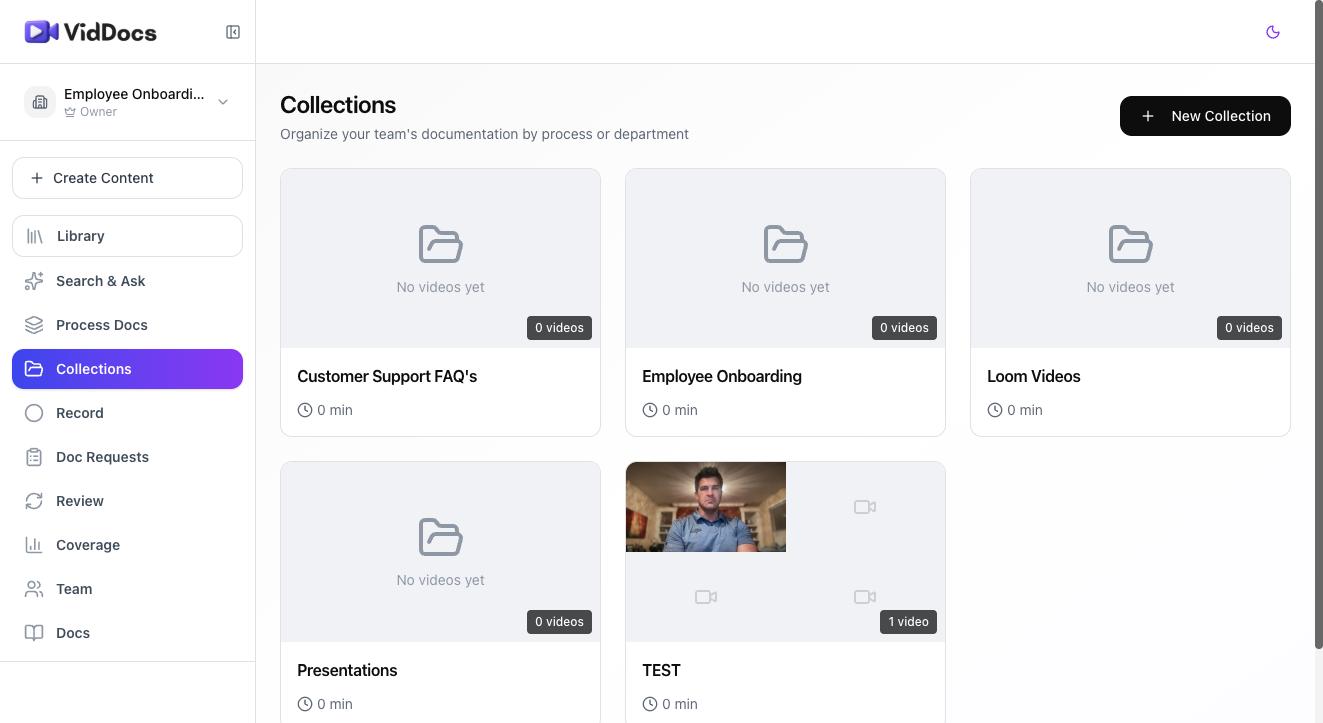
Organizing collections
Collections nest: a "Sales" collection can contain "Discovery calls" and "Closing" sub-collections. Browse and manage the tree from Collections in the sidebar, where each collection shows its video count.
Tip: Organize by how people look for things, not by who made them. "Refunds" beats "Videos by Sarah".
FAQ
Does removing a video from a collection delete it?
No — it just removes the reference. The video stays in the Library and in any other collections.
Can I share a whole collection?
Sharing is per-video today. A collection is an internal organizational view.