A tour of the dashboard
Updated 2026-07-19
A quick map of the dashboard's sidebar, top to bottom, so you know where everything lives.
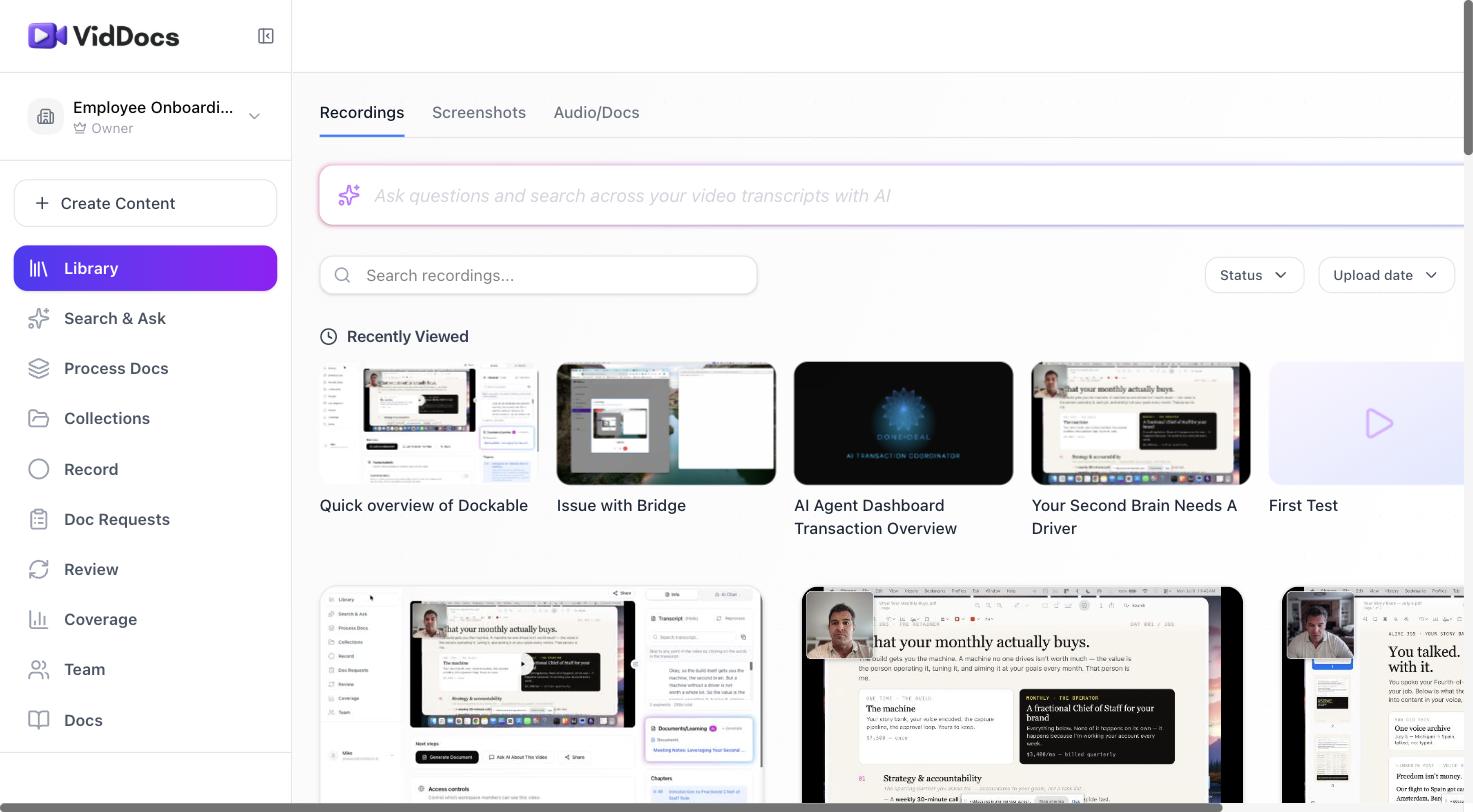
The sections
- Create Content — the starting point for anything new: record, upload a video or document, or import from another tool.
- Library — every video in the workspace. Cards show the thumbnail, title, summary, view count, and processing status. This is where you'll spend most of your time.
- Search & Ask — ask questions in plain English and get answers sourced from your team's videos. See Ask AI.
- Process Docs — turn multiple recordings into one combined process document.
- Collections — organize videos into folders (and sub-folders) by topic, project, or team.
- Record — the browser-based recorder, an alternative to the menu-bar app for one-off captures.
- Doc Requests — ask teammates to record something specific; recordings made against a request fulfill it automatically.
- Review — a queue of content flagged for freshness review.
- Coverage — a bird's-eye view of what's documented and what's missing or going stale.
- Team — workspace members, roles, and invitations.
The video page
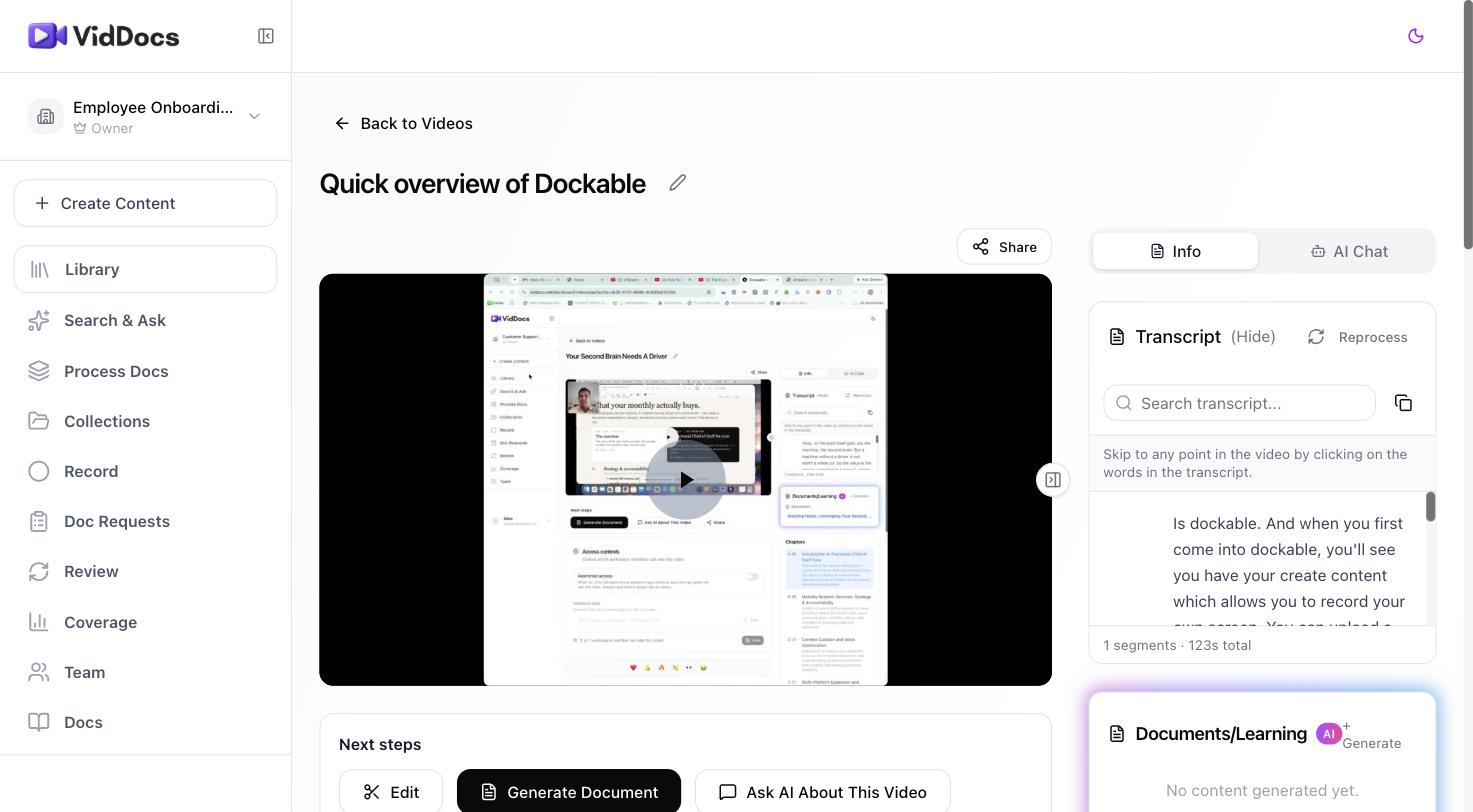
Opening any video from the Library gives you its full workspace:
- The player, with a Share button above it.
- A Next steps card — Edit, Generate Document, and Ask AI About This Video — the three most common actions after a video is ready.
- Access controls — restrict who in the workspace can see this video.
- The transcript, synced to playback; click any sentence to jump there.
- Chapters, generated automatically from the content.
- A utility row for the rest: mark a video outdated, add it to a collection, comment at a timestamp, or delete it.
FAQ
What does "Processing" mean on a video card?
The video is being transcribed and analyzed. It usually resolves in a minute or two. If a video ever sticks or fails, open it and use Retry Processing.
What's the difference between Library and Collections?
The Library is everything, automatically. Collections are curated groupings you create — a video can live in several collections at once without being duplicated.